Pipedrive Marketplace497 apps
search apps…
APPLE WATCHLIST
0manually curated
PIPEDRIVE APPS
497full marketplace
TOTAL TRACKED
497across 2 stores
TOP MOMENTUM
—highest score
OD
ONLYOFFICE DocSpace
ONLYOFFICE · Other use cases · Kostenpflichtig
Work with office files related to your Pipedrive Deals in ONLYOFFICE DocSpace rooms
REVIEWS
0
⌀ RATING
0.0
REVIEWS/TAG
—
REV/INSTALL
—
INSTALLS
—
MOMENTUM
—
FEATURES · WAS DIE APP KANN
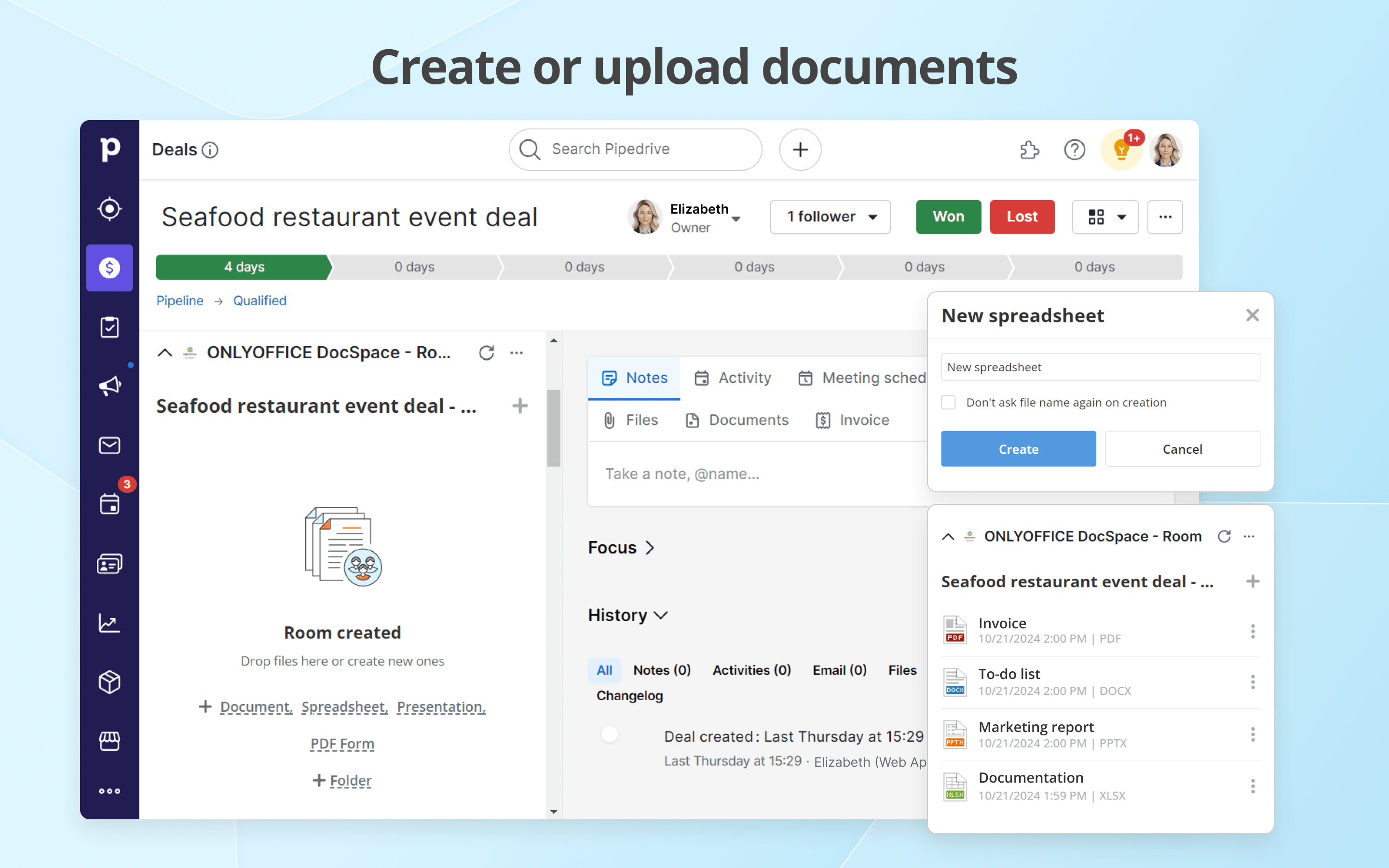
- ONLYOFFICE DocSpace - Room — Easily access the DocSpace room associated with the corresponding deal to work together on office documents with other deal participants.
WETTBEWERB · OTHER USE CASES
| App | Reviews | Rating | Momentum |
|---|---|---|---|
| Bexio Pipedrive Data Transfer App | 1 | 4.5 | — |
| Google Maps | 0 | 0.0 | — |
| HeyOffice! | 0 | 0.0 | — |
| Import2 | 9 | 4.0 | — |
| Master Metrics | 0 | 0.0 | — |
| ONLYOFFICE | 0 | 0.0 | — |
| Pointagram | 2 | 5.0 | — |
| ProBackup | 0 | 0.0 | — |
🤖 FEATURE-GAP · WO 20 % BESSER
Noch keine Analyse — „Analysieren" oben rechts startet sie.
💰 MONETARISIERUNG · LOHNT DER NACHBAU?
💰 MONETARISIERT
Kostenpflichtig
📈 MOMENTUM
—
📊 SKALA
—
SCREENSHOTS
BESCHREIBUNG
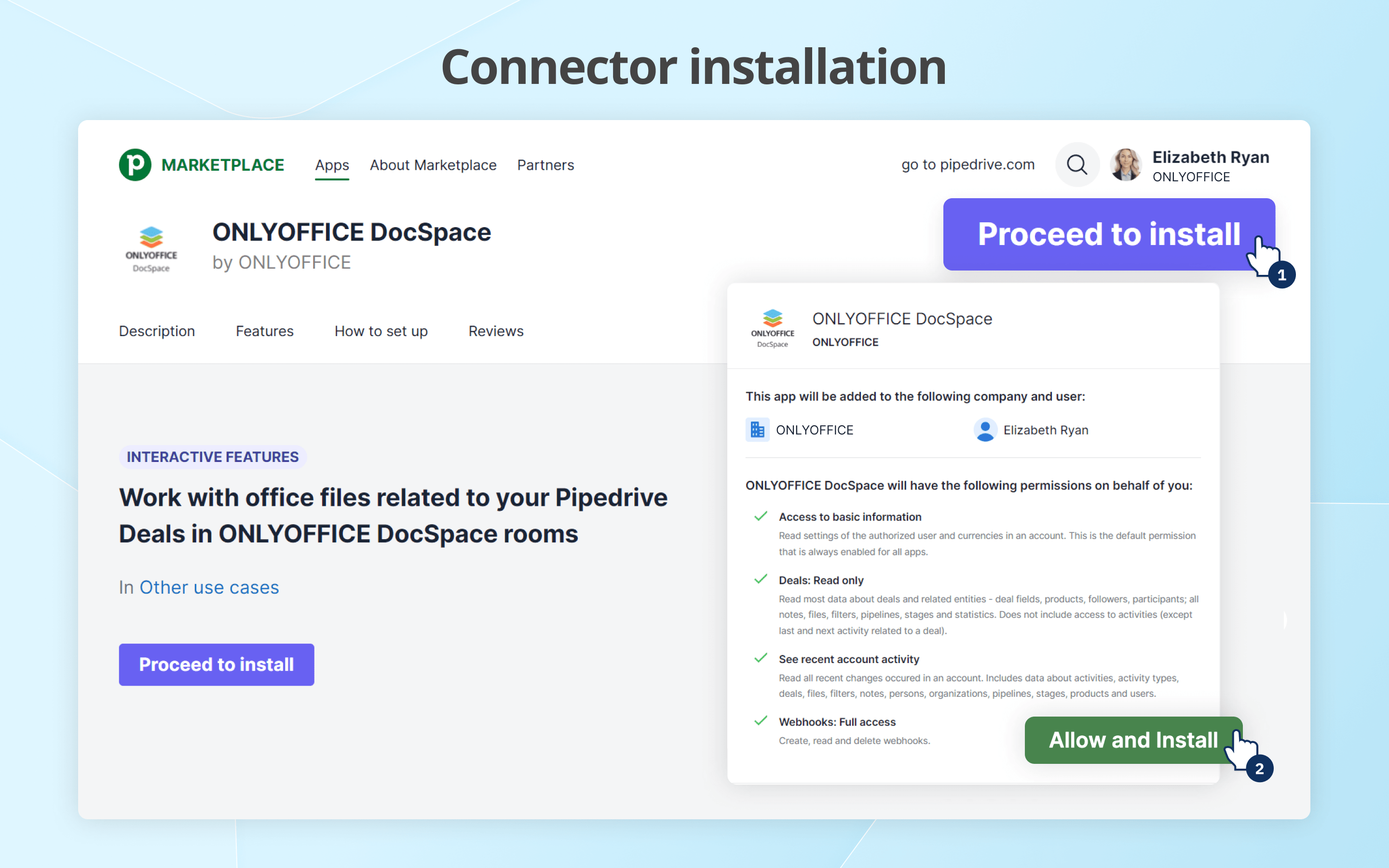
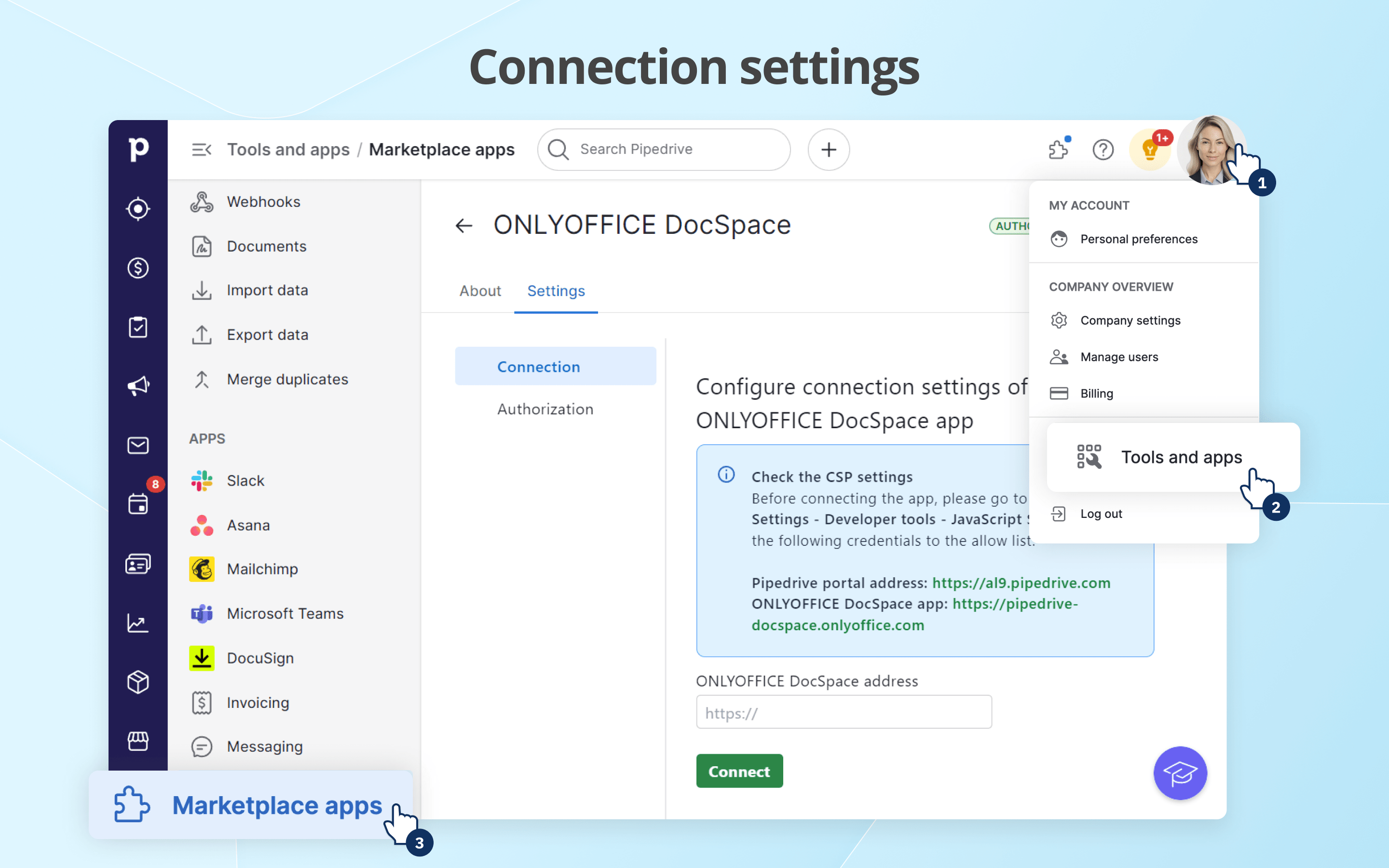
The ONLYOFFICE DocSpace app for Pipedrive can be accessed via the Deals section of Pipedrive: go to the corresponding deal and find the DocSpace frame.
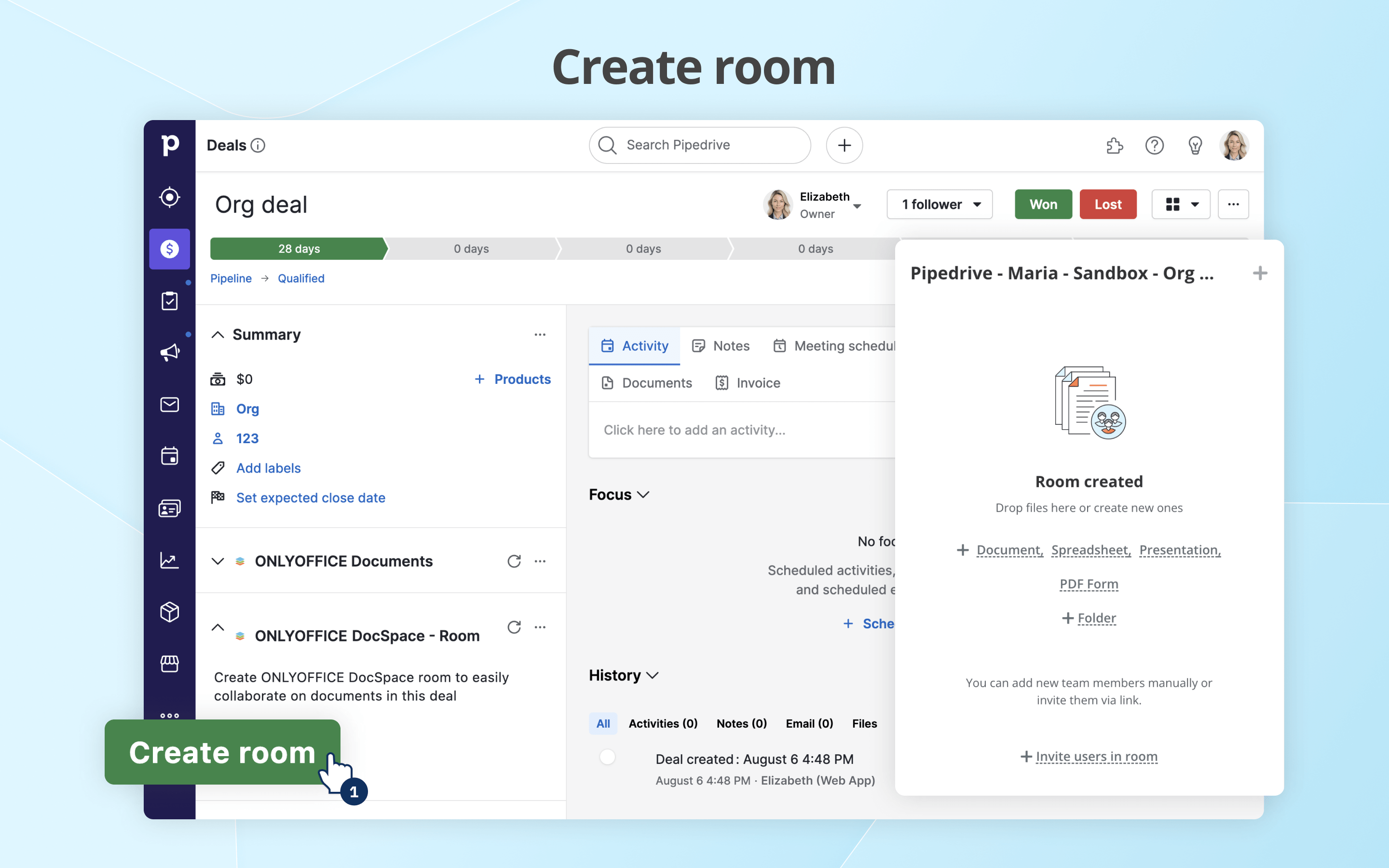
For each deal, you can create a separate DocSpace room in which the deal participants can work together on office documents. To create a room, click the Create room button.
The room is named according to the rule Pipedrive - Company name - Deal name. Inside the DocSpace frame, deal participants can work depending on their access rights.
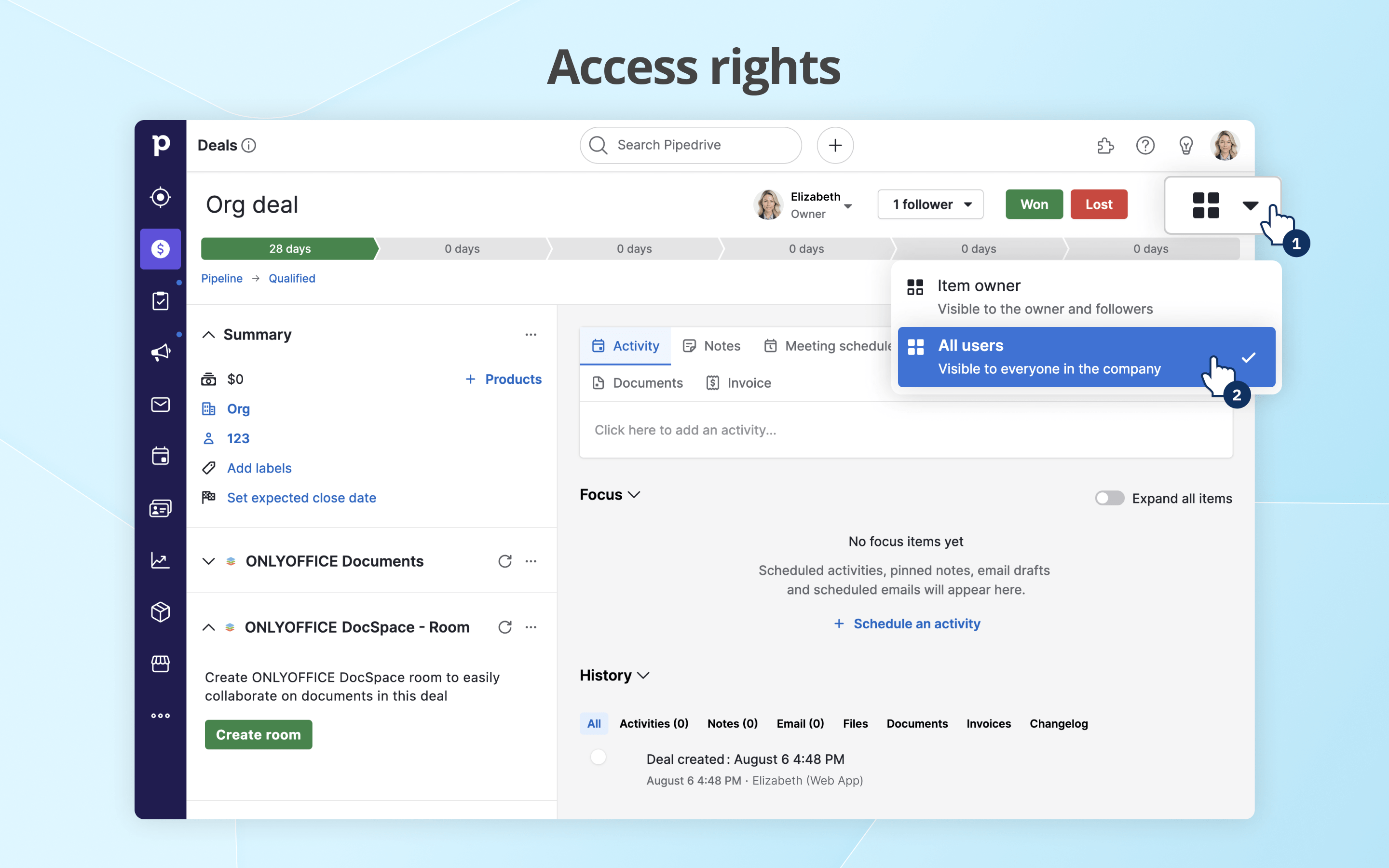
**Access rights**
All Pipedrive users who logged into the DocSpace app are added to the Pipedrive Users (Company Name) group. If a user logs out of DocSpace, they will be removed from the group.
Access rights to the room within a deal are determined by the Pipedrive access rights to the corresponding deal.
- All users: the room becomes available to the Pipedrive Users group as well as the followers are invited by name (only those who have installed the DocSpace app and have been authorized).
- Item owner: the room is accessible only to the deal owner and the followers by name. A mandatory condition in this case is that the deal owner and the followers must install the DocSpace app and pass authorization.
- Item owner’s visibility group: only the followers are synchronized (available in the paid version of Pipedrive).
- Item owner’s visibility group and sub-group: only the followers are synchronized (available in the paid version of Pipedrive).
REVIEWS (0)
Noch keine Reviews — „Markt anreichern" lädt sie.