Pipedrive Marketplace497 apps
search apps…
APPLE WATCHLIST
0manually curated
PIPEDRIVE APPS
497full marketplace
TOTAL TRACKED
497across 2 stores
TOP MOMENTUM
—highest score
CS
Clickatell SMS for Pipedrive
Ulgebra · Kostenpflichtig
Send single & bulk Clickatell messages, view message history within respective Person, Organization or Deal
REVIEWS
1
⌀ RATING
5.0
REVIEWS/TAG
—
REV/INSTALL
—
INSTALLS
—
MOMENTUM
—
FEATURES · WAS DIE APP KANN
- Clickatell Message — Send Clickatell message
- Send Clickatell Message — Send Clickatell single and bulk messages
🤖 FEATURE-GAP · WO 20 % BESSER
Noch keine Analyse — „Analysieren" oben rechts startet sie.
💰 MONETARISIERUNG · LOHNT DER NACHBAU?
💰 MONETARISIERT
Kostenpflichtig
📈 MOMENTUM
—
📊 SKALA
—
SCREENSHOTS

BESCHREIBUNG
Clickatell SMS for Pipedrive allows you to connect with your contacts via SMS and initiate a conversation with organizations and deals from within Pipedrive.
Use the extension to:
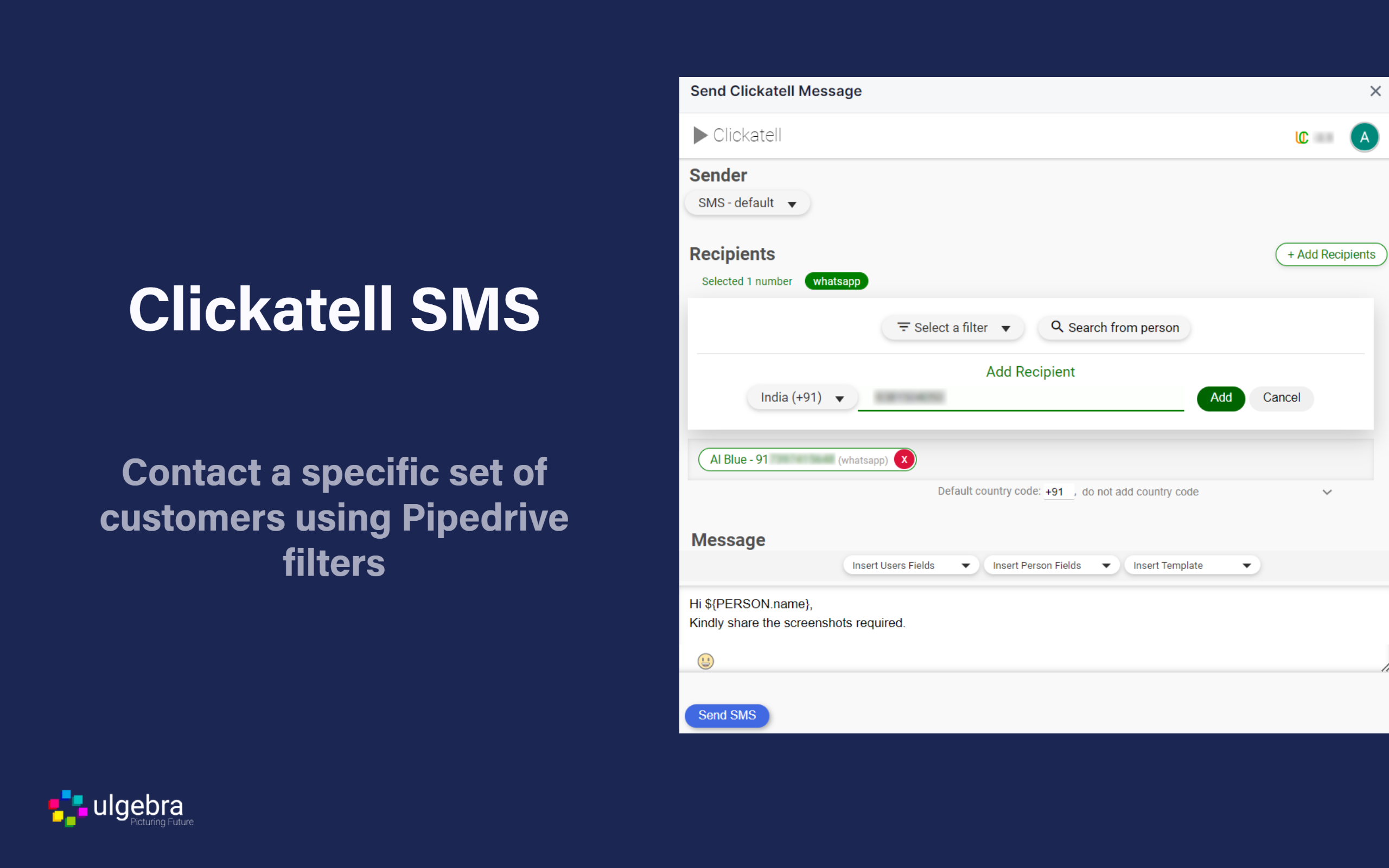
- Send Clickatell SMS to contacts
Select any contact from the people/organizations/deals module and click on "Send Clickatell Message" from the dropdown on the top right corner. Choose your channel and type in your message or select your template. Also, insert emojis, contact fields or user fields. Click on "Send SMS" to send the message.
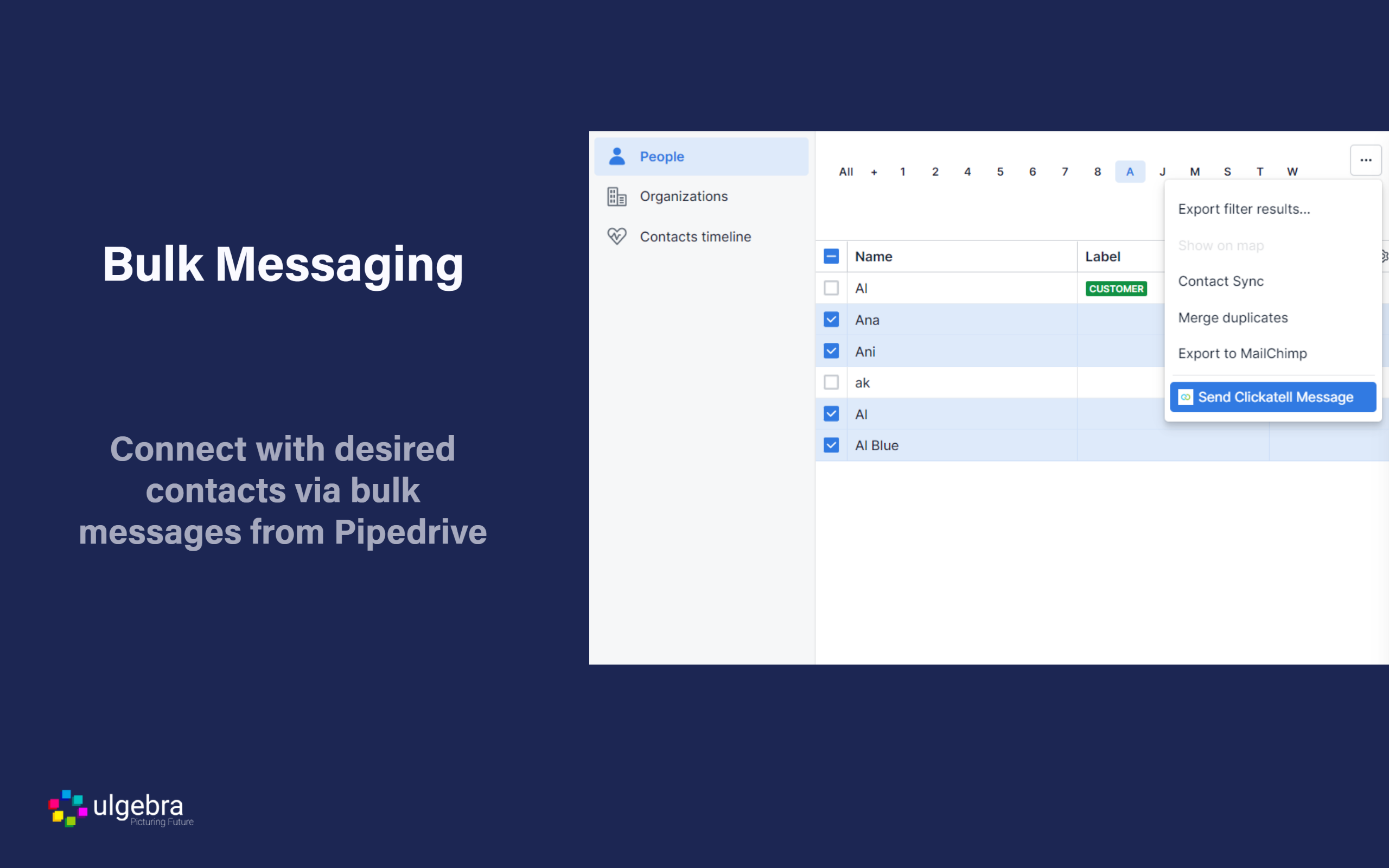
- Send bulk messages to contacts
Select the contacts you wish to send messages to and click on the "Send Bulk Clickatell SMS" from the dropdown menu. Choose your channel and phone field. Also, enhance the process of sending bulk messages with the help of Pipedrive filters to ad a select group of customers to the bulk message. Enter a message or select the template. Include user fields, contact fields and emojis if required. Click on "Send SMS" to send the message.
- View Clickatell history within Pipedrive
The history of Clickatell conversations can be viewed under the "Notes" section of each contact.
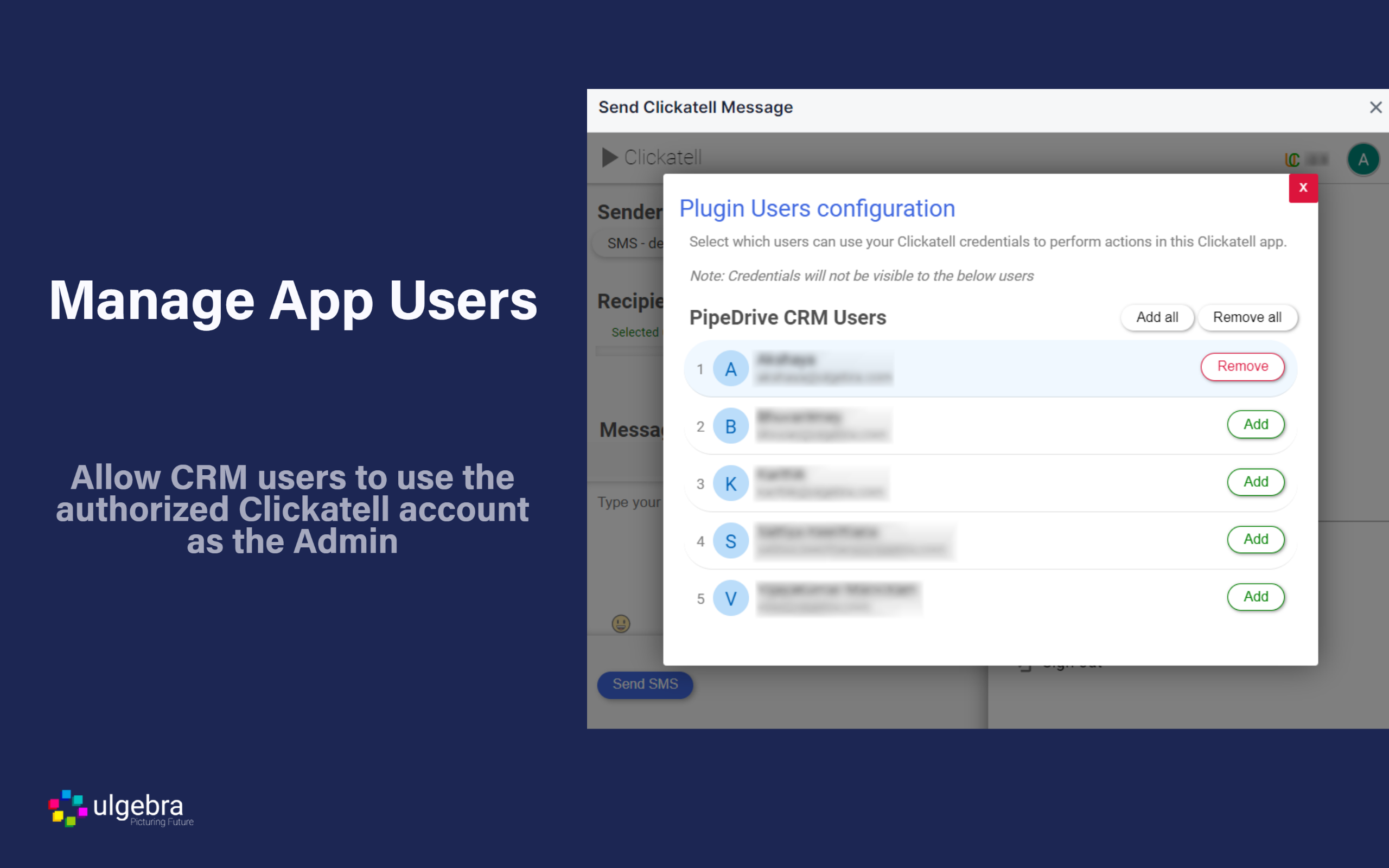
- Manage App Users
The CRM admin can allow users to utilize their authorized Clickatell account. Also, determine the users to be added to this feature and enable or disable users when required.
REVIEWS (1)
★★★★★9.11.2022
I have been using Ulgebra integrations for the past few months, previously integrating Calendly. It was with the success of that integration that we have also now a clickatell integration which has been working very well for our medium operation purpose and the support from Ulgebra team has been outstanding. Thanks to all involved.