Pipedrive Marketplace497 apps
search apps…
APPLE WATCHLIST
0manually curated
PIPEDRIVE APPS
497full marketplace
TOTAL TRACKED
497across 2 stores
TOP MOMENTUM
—highest score
PI
Pinnacle Integration for Pipedrive
Ulgebra · Attract new leads · Gratis
Access Pinnacle channels from within Pipedrive CRM to send single and bulk messages to contacts.
REVIEWS
0
⌀ RATING
5.0
REVIEWS/TAG
—
REV/INSTALL
—
INSTALLS
—
MOMENTUM
—
FEATURES · WAS DIE APP KANN
- Send Pinnacle SMS & WhatsApp — Send Pinnacle messages
- Send Pinnacle Message — Send Pinnacle messages
WETTBEWERB · ATTRACT NEW LEADS
| App | Reviews | Rating | Momentum |
|---|---|---|---|
| Albacross | 0 | 4.5 | — |
| Apollo.io | 20 | 4.0 | — |
| Autohive | 0 | 0.0 | — |
| BIQPipeDriveContacts | 0 | 0.0 | — |
| Bird: Marketing, Sales & Payments | 1 | 1.0 | — |
| Bluebird One | 0 | 5.0 | — |
| Boost.space | 0 | — | — |
| BuiltWith | 5 | 4.5 | — |
🤖 FEATURE-GAP · WO 20 % BESSER
Noch keine Analyse — „Analysieren" oben rechts startet sie.
💰 MONETARISIERUNG · LOHNT DER NACHBAU?
💰 MONETARISIERT
Gratis
📈 MOMENTUM
—
📊 SKALA
—
SCREENSHOTS
BESCHREIBUNG
Connect with your Pipedrive contacts using SMS and WhatsApp channels. Initiate conversations using WhatsApp and SMS.
Extension features:
- Send messages to contacts
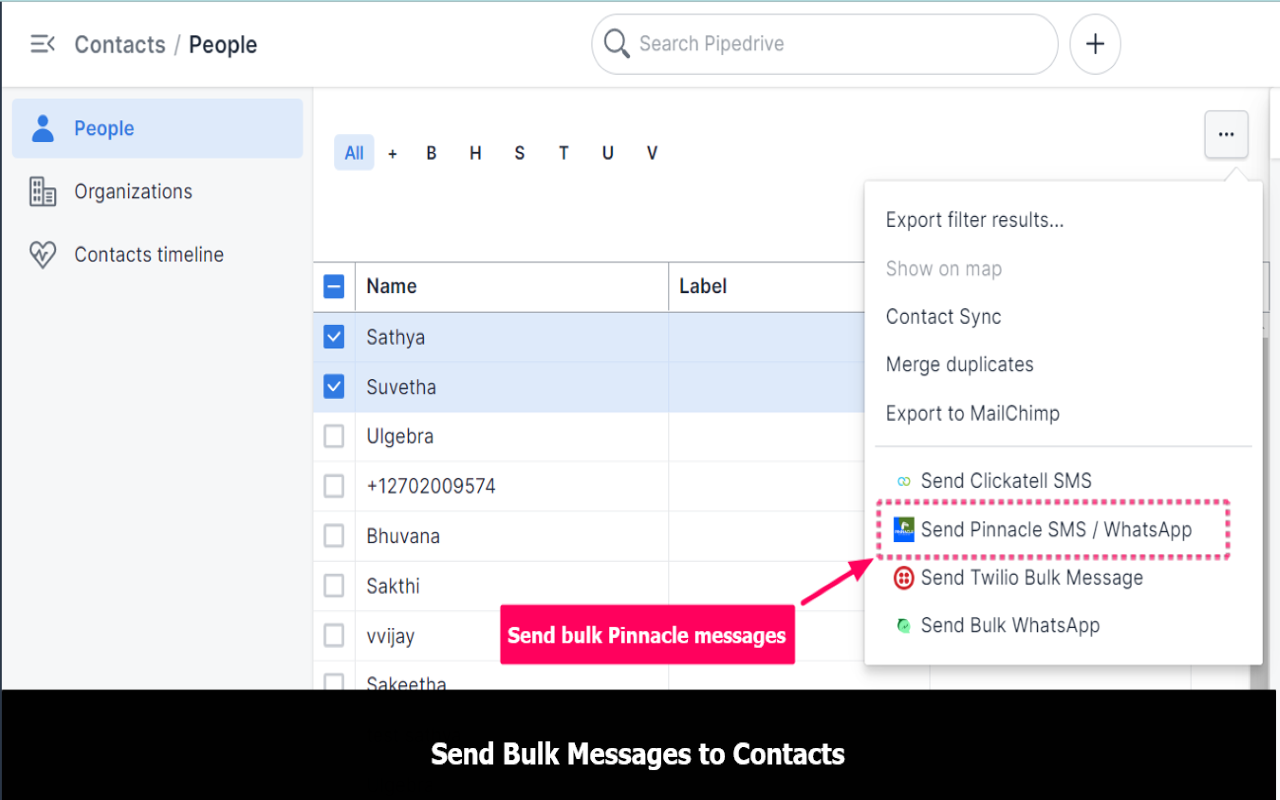
From the dropdown menu on the right corner, select any contact from the people/organizations module and click on "Send Pinnacle SMS/Contacts." Enter your message or select your approved template. Click on "Send SMS" or "Send WhatsApp" to send the message.
- Send bulk messages to contacts and deals
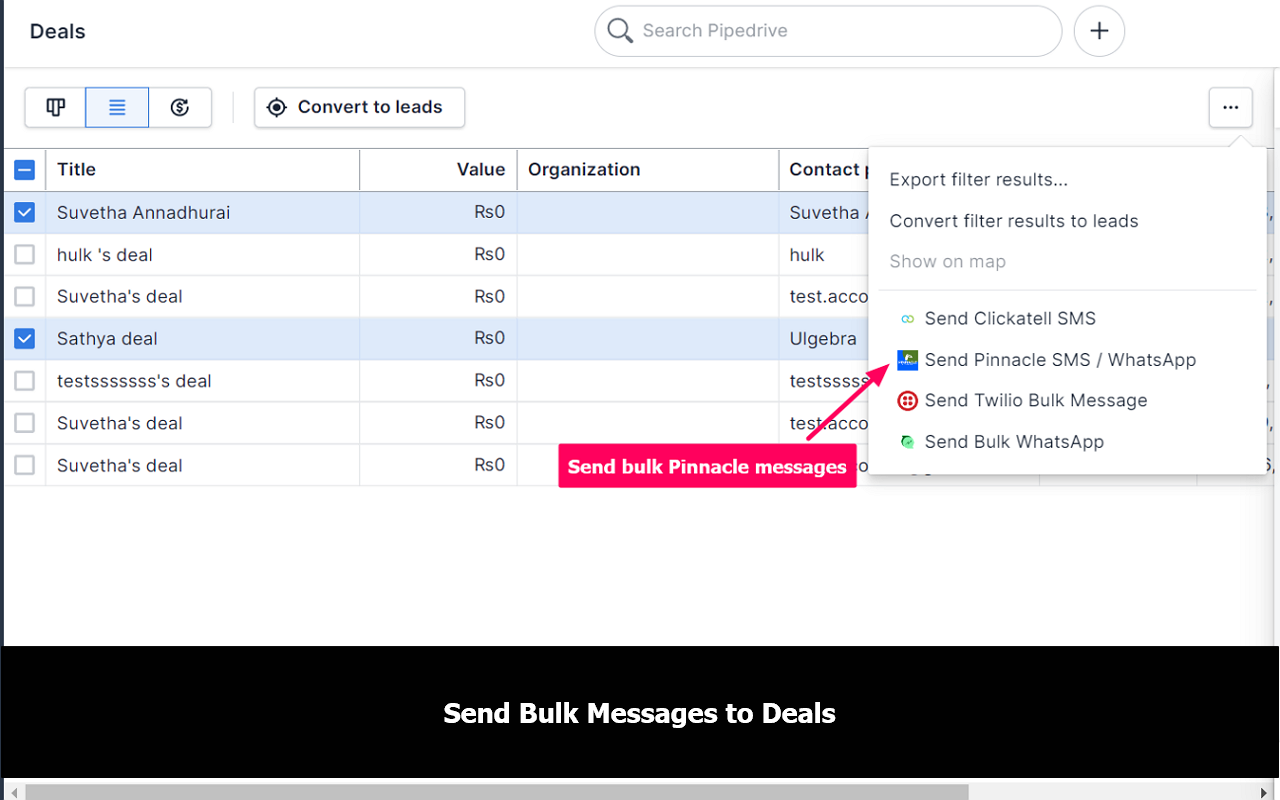
Select the contacts you wish to send messages to and click on "Send PinnacleMessage" from the dropdown menu. Choose your sender ID. Enter a message or select the template. Send the bulk message.
- Create and edit templates
Select "Add New Template option" and create templates. You can also edit or delete the created templates.
- View conversation history from within Pipedrive
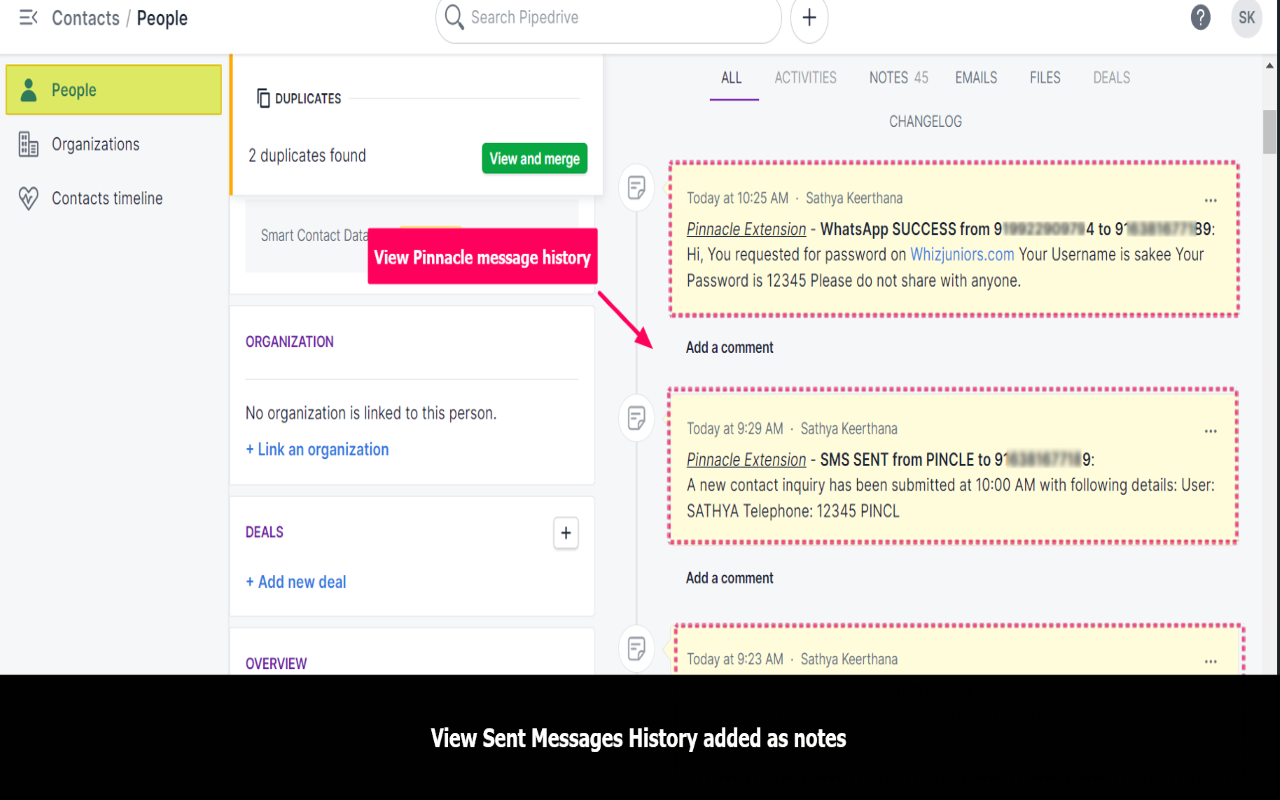
The history of all your sent messages from Pipedrive using pinnacle can be viewed under the "Notes" section of contacts and deals.
REVIEWS (0)
Noch keine Reviews — „Markt anreichern" lädt sie.