Pipedrive Marketplace497 apps
search apps…
APPLE WATCHLIST
0manually curated
PIPEDRIVE APPS
497full marketplace
TOTAL TRACKED
497across 2 stores
TOP MOMENTUM
—highest score
MI
MessageBird Integration for Pipedrive
Ulgebra · Attract new leads · Kostenpflichtig
Personalized messages using MessageBird channels, MessageBird Inbox containing all conversations, real-time & desktop notifications
REVIEWS
0
⌀ RATING
—
REVIEWS/TAG
—
REV/INSTALL
—
INSTALLS
—
MOMENTUM
—
FEATURES · WAS DIE APP KANN
- MessageBird Chat — MessageBird chat test
- Send MessageBird Message — Send MessageBird messages from Pipedrive.
WETTBEWERB · ATTRACT NEW LEADS
| App | Reviews | Rating | Momentum |
|---|---|---|---|
| Albacross | 0 | 4.5 | — |
| Apollo.io | 20 | 4.0 | — |
| Autohive | 0 | 0.0 | — |
| BIQPipeDriveContacts | 0 | 0.0 | — |
| Bird: Marketing, Sales & Payments | 1 | 1.0 | — |
| Bluebird One | 0 | 5.0 | — |
| Boost.space | 0 | — | — |
| BuiltWith | 5 | 4.5 | — |
🤖 FEATURE-GAP · WO 20 % BESSER
Noch keine Analyse — „Analysieren" oben rechts startet sie.
💰 MONETARISIERUNG · LOHNT DER NACHBAU?
💰 MONETARISIERT
Kostenpflichtig
📈 MOMENTUM
—
📊 SKALA
—
SCREENSHOTS




BESCHREIBUNG
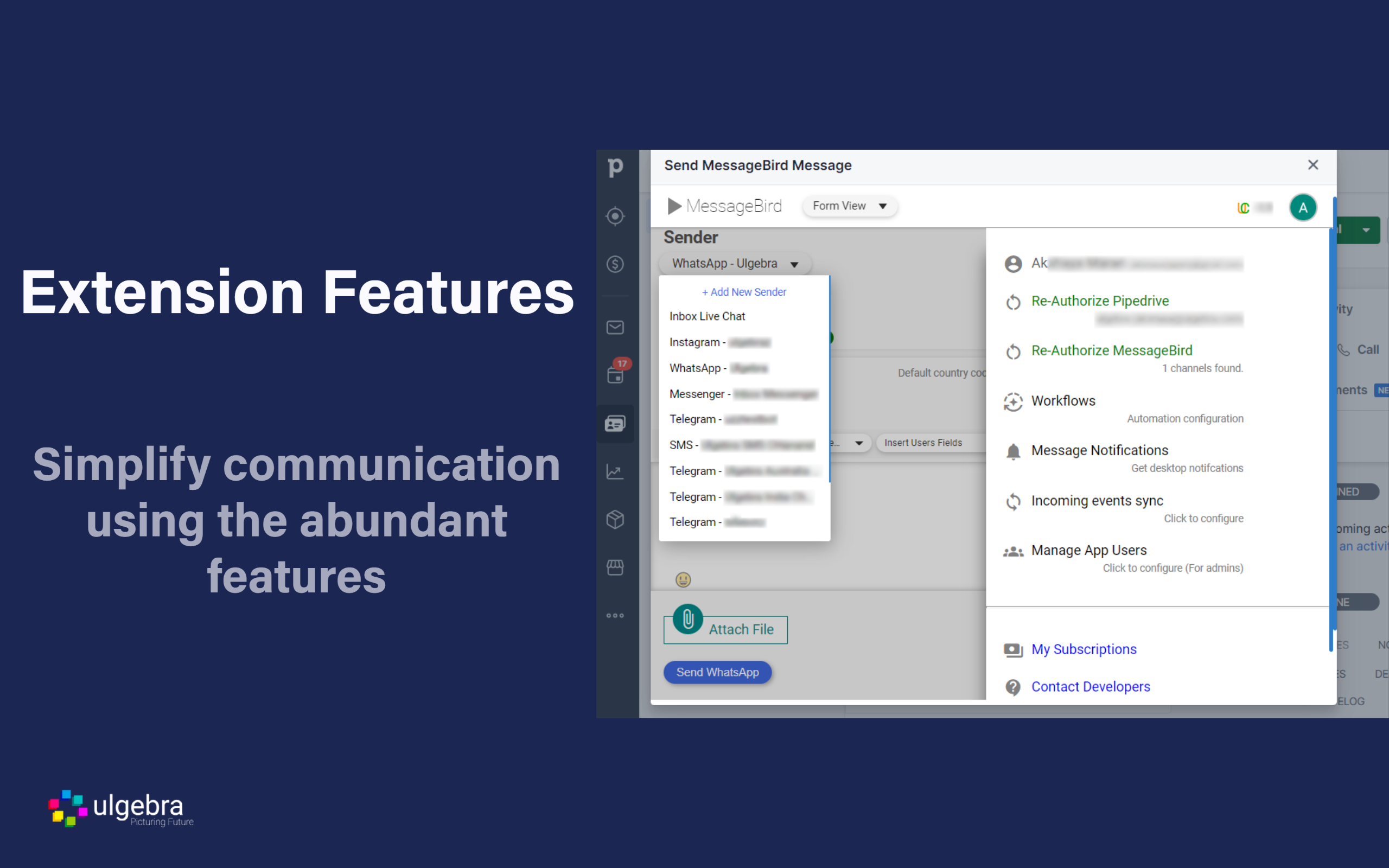
Connect with your Pipedrive contacts using the various channels available on Messagebird. Initiate conversations using WhatsApp, SMS & Viber. Reply to incoming messages from channels integrated into MessageBird.
Connect with individual and multiple People, Deals and Organizations from the desired MessageBird channel. Use Pipedrive filters to send messages to select contacts. Insert templates to send predefined messages, emojis, user fields and person fields to customize the message. Sync your approved MessageBird templates into Pipedrive and utilize them to initiate conversations.
Receive incoming messages into Pipedrive based on your requirements using the various options available. View the list of MessgeBird channels, and enable and disable them when required. Also, allow multiple users to receive desktop notifications for your incoming MessageBird messages.
The Pipedrive admin can also allow multiple users to utilize their authorized MessageBird account using the Manage App Users option.
Have a record of all messages sent and received as Notes within the respective Pipedrive contact along with the complete details of the message.
REVIEWS (0)
Noch keine Reviews — „Markt anreichern" lädt sie.